Virtual Terminal
Written By dev@payadvantage.com
Last updated 5 months ago
Virtual Terminal lets you quickly process one-off debit/credit card payments, from any modern smartphone, tablet or desktop without the need for hardware terminals or phone attachments.
This is a merchant-initiated payment, meaning you enter the card information on behalf of the customer rather than sending them a payment link.
When to use it
Use the Virtual Terminal when:
- Taking payments over the phone
- Processing a one-off payment while speaking with a customer
- The customer is present and has given consent for you to enter their card details
- You need to take payment immediately without sending a link
What the customer experiences
- The customer provides their card details verbally
- The payment is processed immediately
- They receive confirmation according to your normal receipt settings
Payment Requests
Virtual Terminal has also been enhanced to send payment links. Payment links allow a customer to select the payment method that suits them. Click here for more information.
When to use this
Use Virtual Terminal – Pay Requests when:
- You want to collect payment remotely (email or SMS)
- The customer is not present
- You want the customer to enter their own payment details
- You’re requesting a one-off payment (e.g. invoice, balance due)
This is the recommended option when taking payments over the phone or by email and you want to avoid manually handling payment details.
What the customer sees
The customer receives:
- A secure payment link
- A hosted payment page with your business name
- A standard checkout experience where they enter their own payment details
They do not need a Pay Advantage account to pay.
Once signed into your account, to process a card simply open Virtual Terminal from the plus icon, add your customer's details, amount and card information then press charge. A typical transaction can be entered and processed in seconds.
Benefits compared to hardware terminals
- Card is securely stored allowing you to quickly re-charge for future purchases
- Option to send pay requests to your customer's smartphone
- Option to on-charge fees to customers
- Email payment receipts direct to your customers inbox
- Payments instantly viewable by other users including managers or accounts team
- Quickly access customer payment and purchase history
Examples of How to use Virtual Terminal
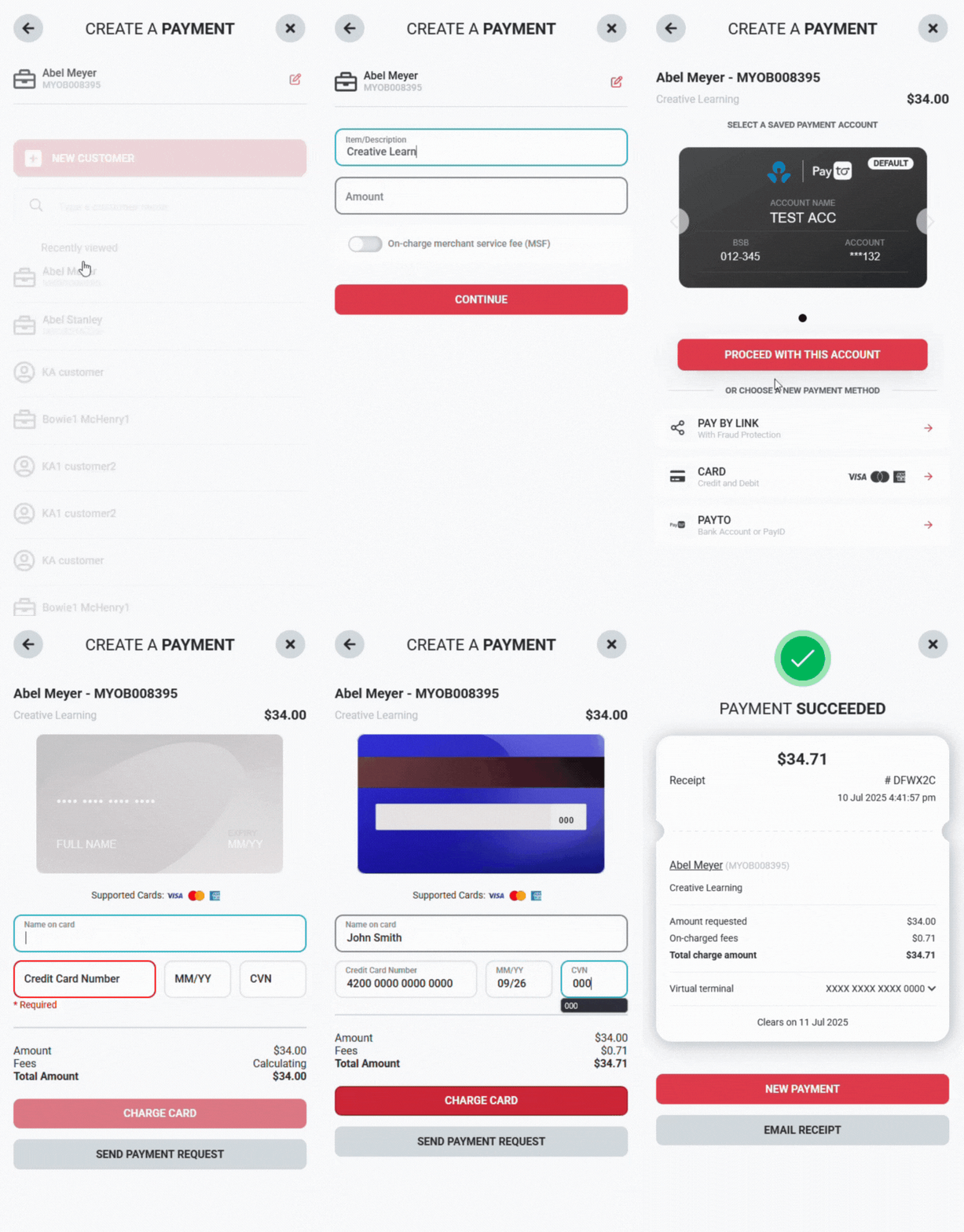
Example of a Virtual Terminal payment with a new card
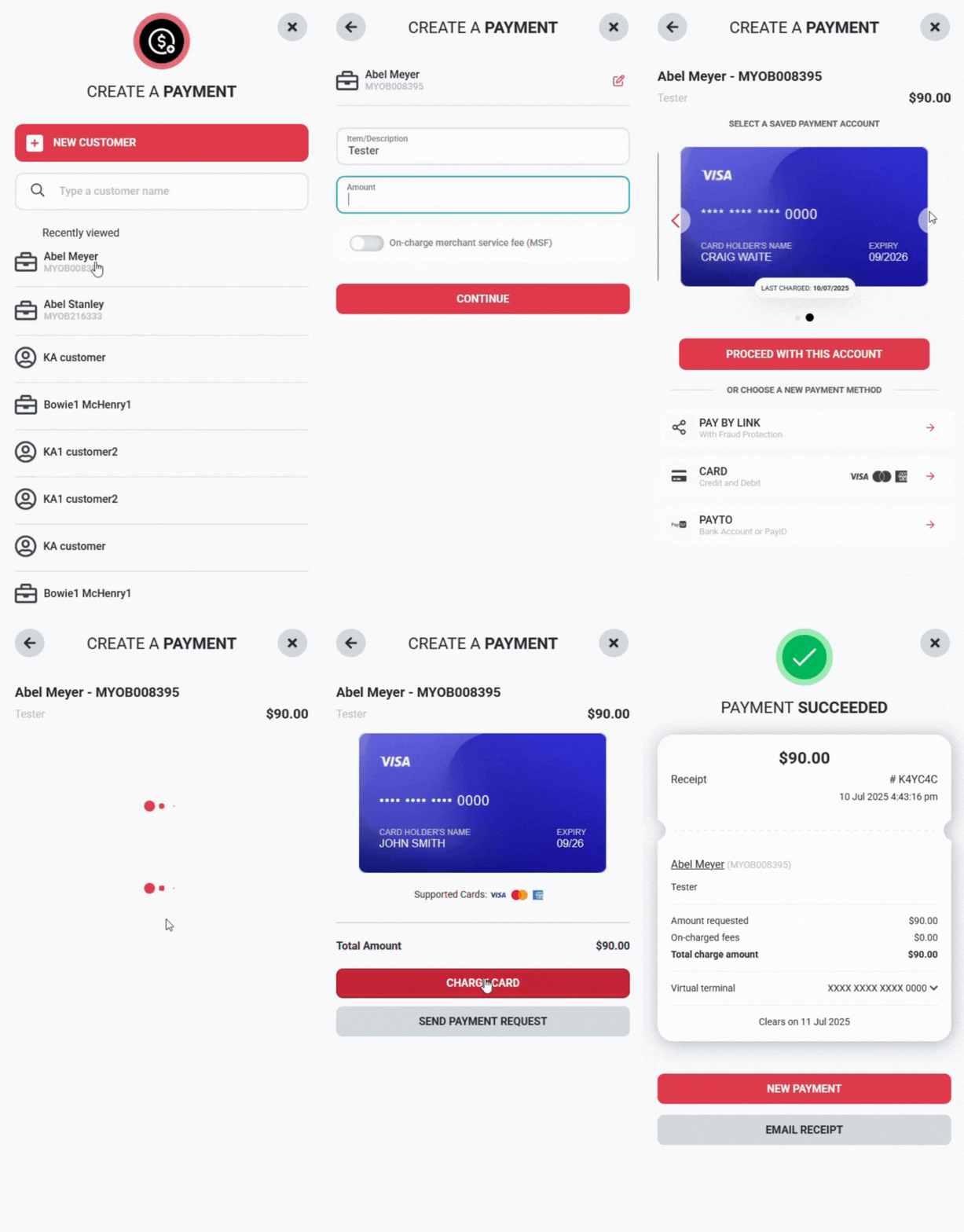
Example of a Virtual Terminal payment using an existing customer with a card on file
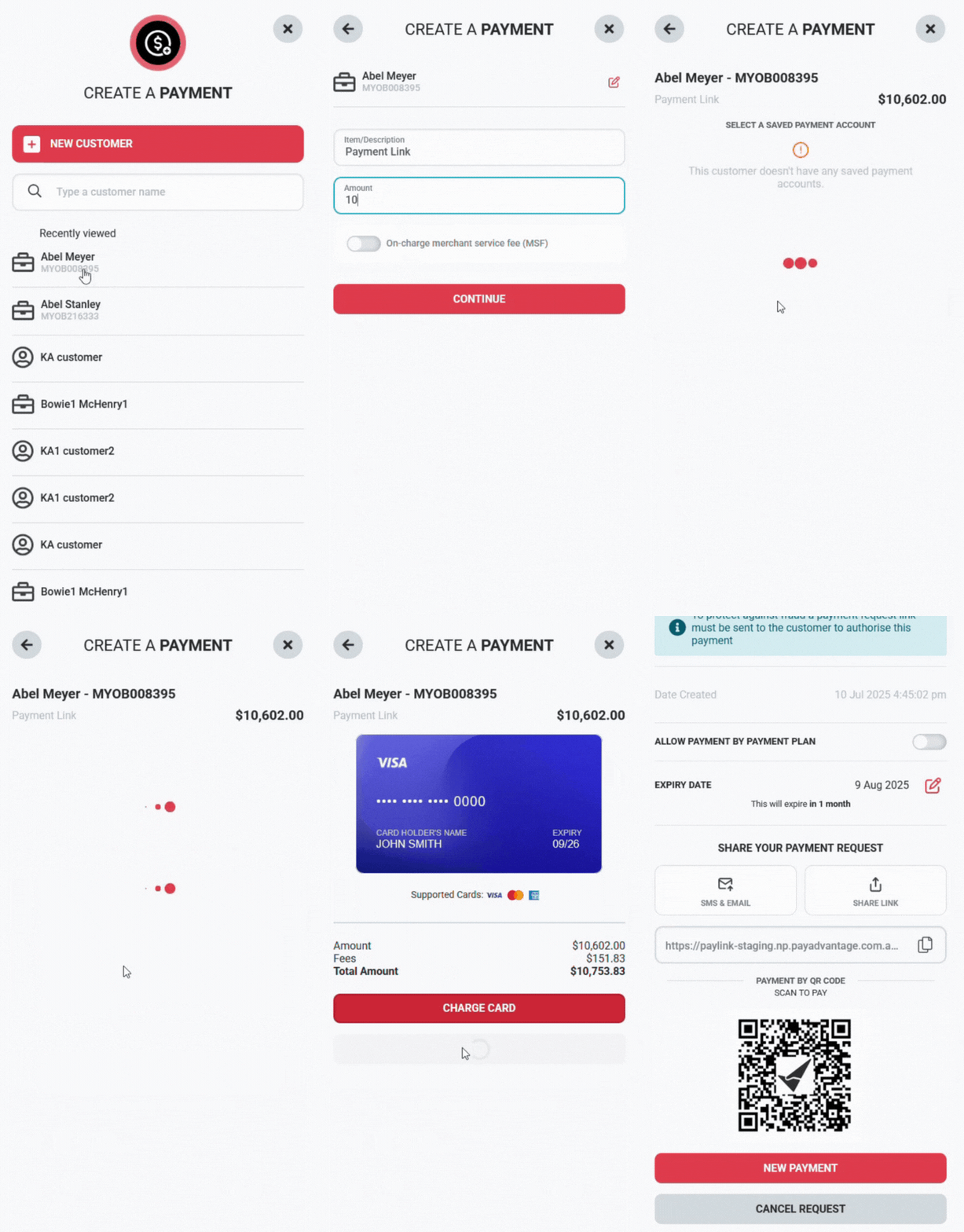
Example of a Virtual Terminal payment using an existing customer and sending to a customer to finalise payment. This ensures you have fraud chargeback protection.
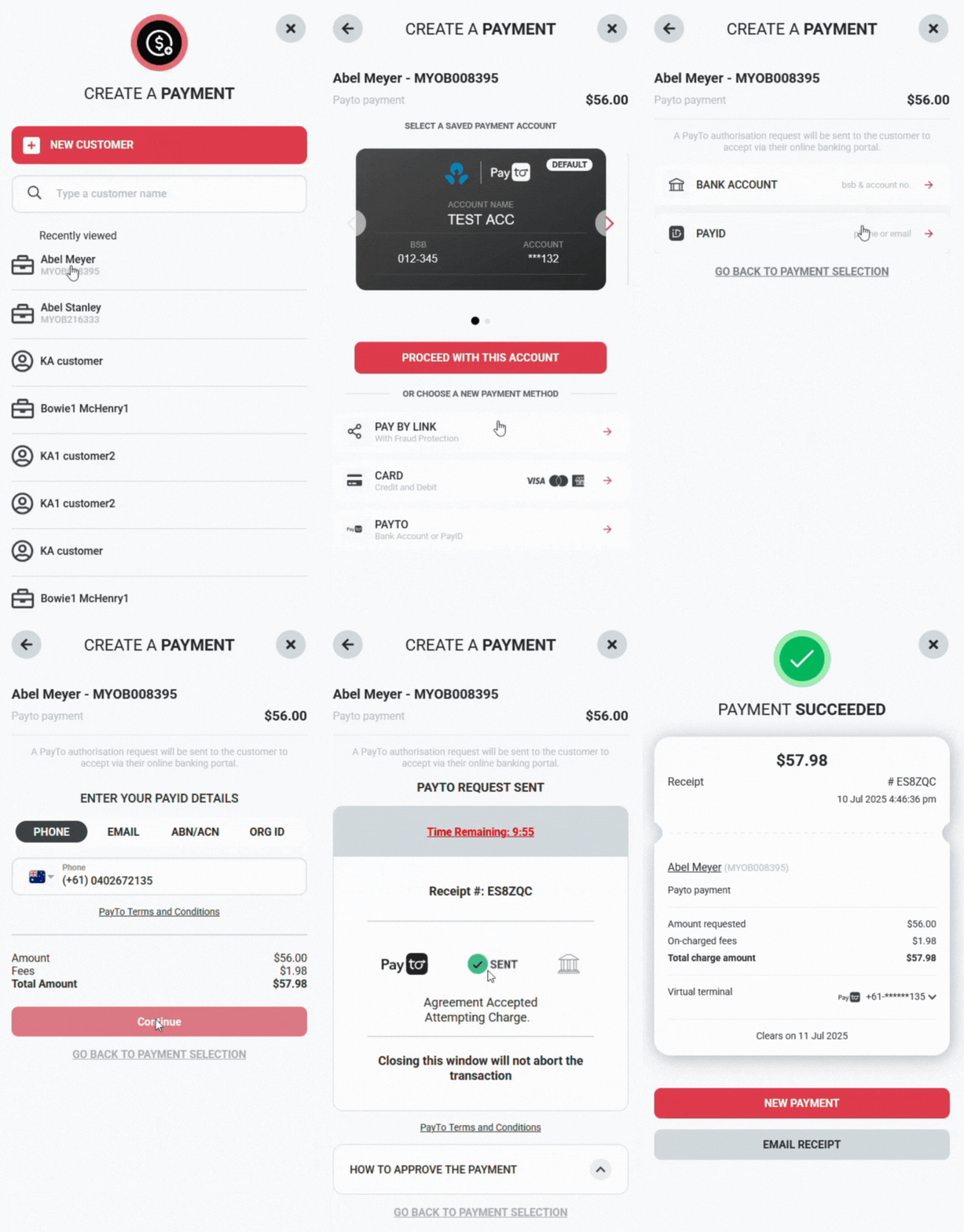
Example of a Virtual Terminal payment using Pay To